The best Obsidian alternatives if you want less setup (2026)
 By Mike McGraw, founder of REPS · Updated July 2026 ·
7 min read
By Mike McGraw, founder of REPS · Updated July 2026 ·
7 min readIf you want to actually remember what you read and watch, REPS is our pick: you save anything and it builds the recall for you, then serves it back as a quick daily game. Obsidian is still the strongest choice if you love owning your files and tinkering with a system, since it is local-first, free for personal use, and endlessly extensible. Notion is the easier workspace for filing, and Anki is the deepest free way to drill facts. But those three all leave the remembering to you.
 REPS
REPS
 Obsidian
 Notion
 Anki
Anki
 Readwise
Let us be fair to Obsidian before we compare anything, because it deserves it. Obsidian is one of the best note apps ever made. Your notes are plain markdown files on your own machine, so you truly own them and nothing can shut them down. It is free for personal use, works offline, links ideas together with backlinks and a graph view, and has a community plugin ecosystem so deep you can bend it into almost any workflow you can imagine. For someone who genuinely enjoys building and shaping a personal system, there is nothing quite like it.
So why do people go looking for an alternative? Two honest reasons. The first is that Obsidian makes you the librarian. Every note is something you write, tag, link, and file by hand, and the setup rewards patience and tinkering that not everyone has time for. The second is quieter but bigger: Obsidian stores what you know, it does not help you remember it. There is no built-in recall. You can add spaced repetition through a community plugin, but even then you hand-write every flashcard yourself with special syntax. Saving is effortless; remembering is entirely on you.
Below are the big, well-known apps worth considering, what each one is genuinely best at, and the honest catch for anyone who mostly wants less setup, or wants their tool to actually help them remember.
At a glanceThe big Obsidian alternatives at a glance
| App | Best at | Price | Local-first? | Built-in recall? | Setup effort |
|---|---|---|---|---|---|
| REPS | Remembering, played as a game | Early access | No (cloud) | Yes, done for you | Low |
| Obsidian | Owning your notes, plugins | Free personal; Sync from about $4/mo | Yes | Plugin only, manual cards | High |
| Notion | Easy all-purpose workspace | Free tier, paid plans available | No (cloud) | No | Low to medium |
| Anki | Deep free drilling of facts | Free (iOS app one-time paid) | Yes | Yes, but manual cards | High |
| Readwise | Highlight sync plus recall | From about $5.59/mo | No (cloud) | Yes (Mastery) | Medium |
Prices are approximate and change; check each app before you buy. Obsidian's commercial license (around $50 a year) is now voluntary, not required, so we have left it out of the headline price. Anki's iOS app is a one-time purchase, not a subscription.
The alternativesWhich alternative actually fits how you work?
The right answer depends on what pushed you off Obsidian. If it was the setup, you want something gentler. If it was that your notes never did anything, you want something that tests you. We will start with REPS, since it is what we built and our pick for this use case, then go through every alternative and name exactly where it beats us.
REPS: no system to maintain, and remembering feels like a game
Where it fitsWe built REPS for the person who liked the idea of a second brain but not the upkeep. You save an article, a YouTube video, or a podcast, and REPS does the rest: it builds the recall cards for you from the source, then brings them back on a spaced schedule as a quick daily game rather than a review pile. There is no vault to structure, no decks to make by hand, no plugins to wire together. You save; REPS makes the cards, organizes, connects, and remembers for you.
Everything you save also grows into your Second Brain, a living map of what you know, with the graph view Obsidian fans love, built automatically instead of by hand. To be fair to the rest of this list: REPS is not local-first, and it is not a blank canvas you can tinker with forever. If owning your raw files and building the system yourself is the whole point for you, stay on Obsidian. REPS is the better pick when you want less work, not more control.
Obsidian: still the best if you want to own the system
Where it winsLocal-first storage is the headline, and it is a real one. Your vault is just markdown files you control, which means no lock-in and nothing that can be sunset out from under you, a genuine peace of mind after so many apps have shut down. It is free for personal use with no caps, the plugin ecosystem is enormous, and the graph view of your linked notes is a joy to explore. If you love a system you can shape yourself, Obsidian is hard to beat.
The honest catchYou are the librarian. Obsidian organizes nothing for you; every note, tag, and link is manual, and the learning curve is real. Crucially, it has no recall of its own. Spaced repetition means installing a community plugin and writing each flashcard by hand. Nothing turns the things you read, watch, or listen to into practice automatically, which is exactly the gap the apps below fill.
Notion: the easier workspace, still a filing cabinet
Where it winsNotion is the gentle landing for people who found Obsidian too fiddly. It works out of the box, syncs across every device, and lets you build docs, databases, and dashboards without touching a single plugin. Its free tier is generous and it collaborates far better than Obsidian. If your pain was setup and scattered notes, Notion smooths both.
The honest catchIt is still a place you file things, not a tool that makes you remember them. Notion has no recall practice and no scheduling, and it is cloud-based rather than local-first, so you trade file ownership for convenience. It is the "organize" answer, which is a different job from "remember."
Anki: the deepest free way to drill facts
Where it winsIf what you actually wanted from an Obsidian plugin was serious spaced repetition, Anki is the real thing and it is free. Its scheduler is world-class, it is local-first like Obsidian, it handles huge volumes of cards, and it has the largest library of shared decks and add-ons anywhere. For raw depth and price, nothing here touches it.
The honest catchThe trade you were trying to escape follows you. You still build every card by hand, and Anki's setup is at least as steep as Obsidian's. It does not ingest what you read or watch, so nothing turns a source into practice for you. Great tool, same manual workload. More on Anki alternatives here.
Readwise: recall from highlights you already make
Where it winsReadwise has the deepest highlight network in this space and, unlike a note app, it does test you. It pulls highlights from Kindle, Apple Books, articles, and PDFs into one place, and its Mastery feature turns those highlights into active-recall questions on a spaced schedule. Add Readwise Reader and you get a strong all-in-one reading inbox on top. If you already highlight as you read, it is a real step up from a static vault.
The honest catchIt works on highlights you make, so the discipline of highlighting is on you, and it does not generate questions from the full source. The recurring gripe is price, with people openly asking whether it is worth roughly $120 a year. It is also cloud-based, not local-first, and it is a review layer rather than a game.
What people on Reddit actually recommend
We read the threads instead of inventing quotes. The pattern is clear. The most common budget answer to "how do I remember what I read" is to cobble free tools together, an Obsidian web clipper plus a bookmarking app, which works but leaves you managing the plumbing. When people ask how to hold on to what they read, the honest replies keep coming back to active recall and spaced repetition, not more note-taking, because filing something is not the same as remembering it.
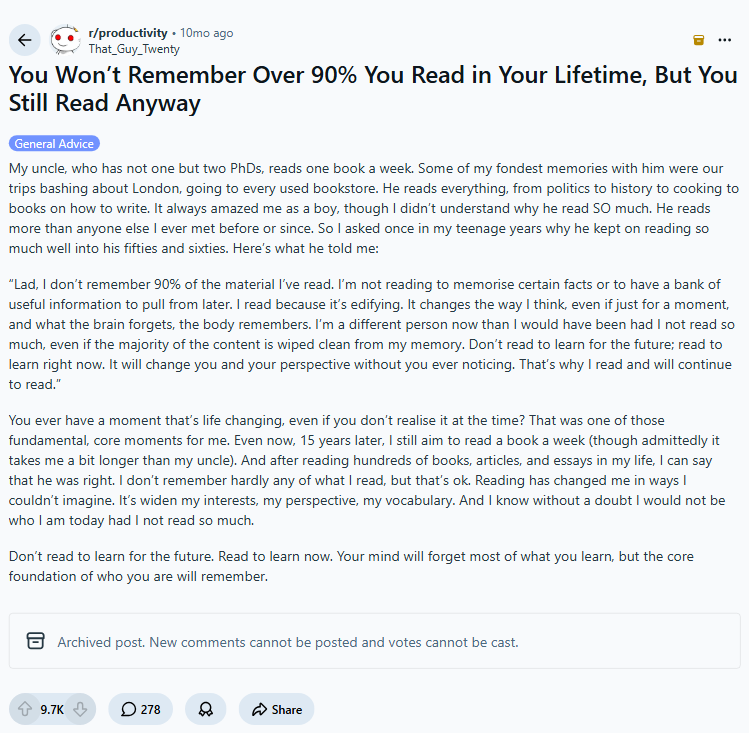
There is also a large, upvoted camp that just wants permission rather than another system: read to learn now, and trust that what matters will stick. If that is you, the fear-based framing most of these apps lean on will not land, and that is fair. Read the threads yourself:
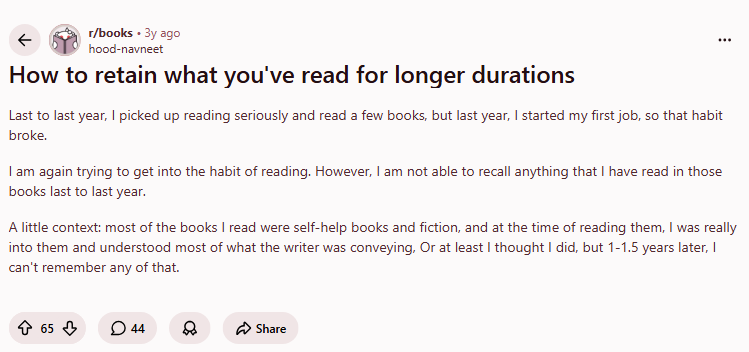
- How to hold on to what you have read for longer · r/books
- You will not remember most of what you read · r/productivity
- Alternatives for people done building cards by hand · r/Anki
These are real, unedited threads. We screenshot them and link them so you can read the full discussion and judge the consensus yourself.
FAQFrequently asked questions
Is Obsidian free?
Yes, for personal use Obsidian is free with no account and no limits. Paid add-ons are optional: Sync keeps your notes across devices for about $4 per month on the annual plan, and Publish puts a vault online for about $8 per site per month. There is also a commercial license priced around $50 a year, but it is now voluntary. Obsidian has said the app is free for work, so treat the license as a way to support development rather than a required fee.
Does Obsidian have spaced repetition?
Not on its own. Spaced repetition in Obsidian comes from a third-party community plugin, and even then you write every flashcard by hand using a special syntax inside your notes. It works, but the effort is entirely yours: nothing turns your notes or the things you read into practice for you. If built-in recall matters, Obsidian is not the natural pick.
What is the easiest Obsidian alternative?
For general notes and organizing, Notion is the gentlest landing: it works out of the box, syncs everywhere, and needs no plugins to feel complete. It is still a place you file things rather than a tool that tests you. If your real goal is to actually remember what you save, REPS removes the setup entirely: you save something and it generates and schedules the recall for you as a quick daily game.
Obsidian vs Notion: which should I use?
Pick Obsidian if you want local files you fully own, offline access, and a deep plugin system you can tinker with. Pick Notion if you want an easier, collaborative workspace that works everywhere with almost no setup. Be honest with yourself about one thing though: both are filing systems, not memory systems. Neither one makes you remember what you put into it. That is a different job.
What if I just want it to remember things for me?
Then a note app is the wrong shape. Obsidian and Notion organize; they do not bring information back before you forget it. REPS is built for exactly this: you save an article, a video, or a podcast, and it builds the cards for you and schedules them as a short daily game. Same idea as spaced repetition, but you do not build the vault or write the cards by hand. Obsidian makes you the librarian. REPS is the librarian.
How to choose
I started building REPS after realizing I could not remember most of what I read. I use the apps on this list myself, and I write these comparisons to be the honest rundown I wish I had had.
